
1
Load a track
Play as normal. CrateMate picks up the track the moment you load it.
For open-format DJs · Coming to Mac
Your next track, picked from your own crate: fresh finds in Discover, sure things in Proven.
Works with Serato DJ, rekordbox, VirtualDJ and djay Pro on Mac. Your library stays on your Mac.
How it works
Nothing to type mid-set.
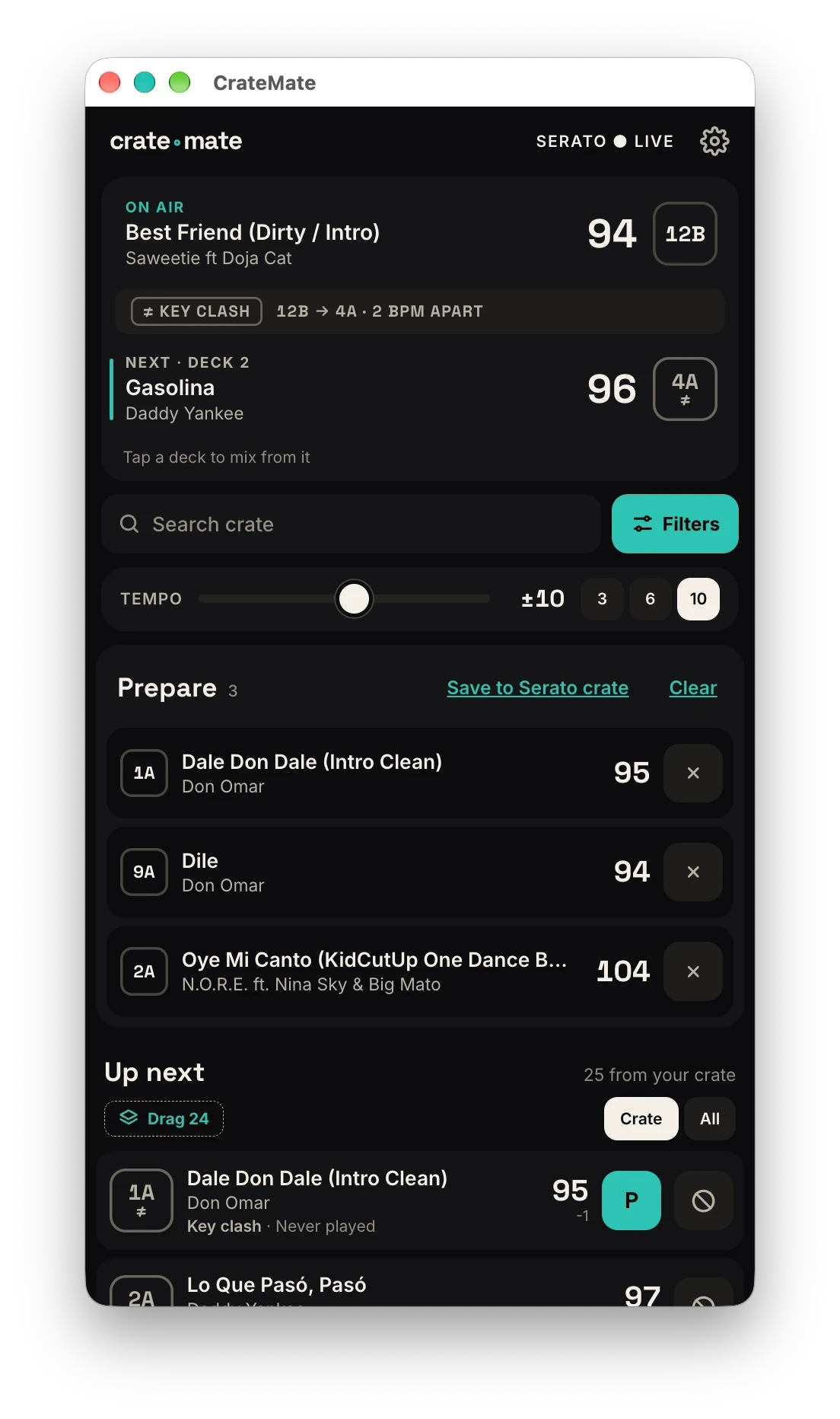
Play as normal. CrateMate picks up the track the moment you load it.
Pick how far the tempo can move, and which way. The list re-ranks straight away.
Every suggestion is a file you own. Drag it onto the free deck.
Forgotten tracks first
Good matches you haven't played in ages lead the list. Songs from the last few weeks drop down. Every row shows how often and when you last played it.
Discover and Proven
Two tabs above your suggestions. Both only show songs you own.
Fresh picks that fit what's on the deck. This is where the forgotten tracks live.
Songs you've mixed after this one before, and how many times. Your go-to moves when the floor needs a sure thing.
What other DJs play after this song, from the sets they've shared. Only songs you own.
Not feeling one? Tap the thumbs down and it won't come up after this song again.
Use more than one and CrateMate joins your libraries and follows whichever you loaded a track in last. Switching programs doesn't wipe your play history.
Long sets
Play a song and every version you own drops out for the rest of the set: intros, edits, remixes, bootlegs.
The top picks skip the artist on the deck. Their other songs are still there, further down.
Give a wedding its own Do Not Play and Must Play lists. Load a Do Not Play song and the deck warns you. Must Play songs rise up when they fit.
Your crate and your story
How many songs you own, how many you've played, and how many you've never touched. Tap a number for the list and drag the ones you want into a crate.
Your DJ story puts every set you've played on one page, with top songs and records. Save it as a share card for your socials. All worked out on your Mac.


About
CrateMate was built by a DJ, James Campbell, for his own long open-format sets and a 49,000-track library where the same favourites kept coming round. It's still tuned on real gigs, from Ibiza clubs to ships at sea.
Waitlist
The beta is full and working DJs are testing it now. Join the waitlist to hear the day CrateMate launches.
Thanks. Check your inbox for a quick confirmation. You'll hear from me the day CrateMate launches.
FAQ
The beta is full: a group of working DJs is testing it now. Join the waitlist and you'll be the first to know when CrateMate launches.
Open-format DJs with big libraries and long sets: weddings, corporate gigs, residencies, ships, anywhere you play five hours and a bit of everything.
No. Every suggestion is a file in your library, Crowd favourites included. (One setting, off unless you turn it on, adds ideas you don't own, marked as not in your crate.)
Serato DJ, rekordbox, VirtualDJ and djay Pro, and more than one at once: CrateMate joins the libraries and follows whichever program you played a track in last, so there's nothing to switch on the night. For rekordbox and VirtualDJ, one setting changed so it logs tracks sooner. CrateMate shows you which. Tracks streamed in djay Pro (Tidal and the like) are left out for now.
Your library stays on your Mac. CrateMate only reads the folders you choose and never changes anything in your DJ software. To find similar music it looks up the artist and title of the track you're mixing from. If set sharing is on, it also shares your set history anonymously: the main artist and song name of each track, with its BPM, key and genre tag, the day of the set, your country if you add it, and any thumbs downs you tap. Remix and edit names, your name and your files are never sent, and we never sell or share your individual sets. Switch it off any time in Settings. The full list is in the privacy notice.
Not yet. CrateMate runs on Macs, both Apple Silicon and Intel.